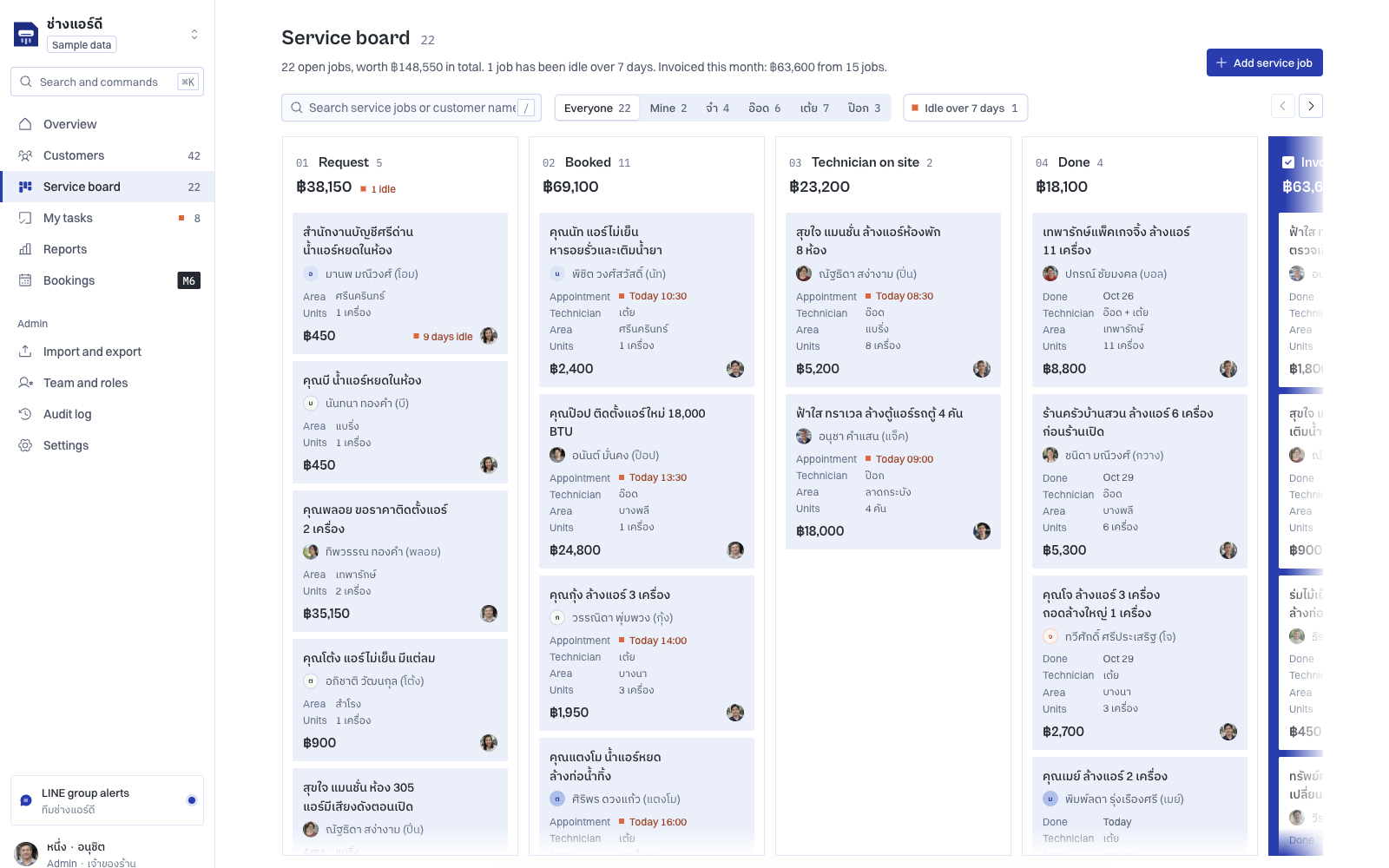
Cover: English demo interface with fictional Thai service records. The image shows part of a horizontally scrollable board and trade-specific job details.
A shared inbox, quotations, bookings, stock, memberships, reports and AI all look useful on a feature list. When choosing a CRM, ask where each feature takes over work and what would get stuck without it.
Starting with a catalogue can leave a team with several tools and no clear owner. A smaller system with explicit handoffs may be a better starting point.
For Talvyn Custom CRM, start with one customer journey, then separate the core, optional modules and custom work needed to support it. Expand from that process once the responsibilities are clear.
Follow one service job from enquiry to repeat business
Imagine an air-conditioning service business receiving an enquiry. The following journey is a design example, not a claim that the demo already connects every step automatically.
Intake: Capture contact details, location, the problem and the number of units. If information is missing, someone needs to own the follow-up before scheduling.
Booking: Agree the time, responsible person and preparation. If the appointment changes, define what needs updating so different people do not act on different schedules.
Service delivery: The field team needs the relevant job information and a way to report completion or a problem. “Booked” and “completed” describe different events and should have clear meanings.
Handover and documents: Operational completion may leave documents, an invoice or customer confirmation outstanding. Agree who takes responsibility for those steps.
Next service: A future service cycle needs usable dates or conditions, plus an owner for the next contact.
This journey makes feature selection more concrete. Requirements come from responsibilities, handoffs and the information each step needs, rather than the industry label alone.
Separate three levels of change
Payne and Frow’s CRM framework (2005) emphasises cross-functional processes. When selecting modules, include the handoff: does the information sales records let service staff continue the work?
| Level | What it supports | What to agree |
|---|---|---|
| CRM core and configuration | Customer records, relevant fields, tasks and progress stages | Terms, fields, owners and stage definitions |
| Optional modules | Additional work such as LINE OA conversations, quotes, bookings, products or AI drafts | Users, required data and handoffs into the existing process |
| Custom development | Specific screens, processes or connections beyond supported options | Integration details, access, failure handling and acceptance criteria |
The Talvyn demo lets people explore several groups of add-ons. Work beyond those options is assessed as custom scope. The core does not imply every feature is included, and enabling every module does not automatically create a suitable process.
For the service business above, bookings may matter immediately while loyalty points can wait. A reseller business might instead prioritise conversations, orders and reorder follow-up.
Add AI where there is something to review and someone to review it
Another example in the demo is Mira Skin’s LINE inbox. A conversation and sample order image appear alongside draft order items and a draft response. An item missing from the catalogue is flagged for attention.
The useful design detail is the division of responsibility. The interface separates editing, confirming a purchase and sending a response. Someone still needs to decide how to handle the unmatched product before confirming data or communicating with the customer.
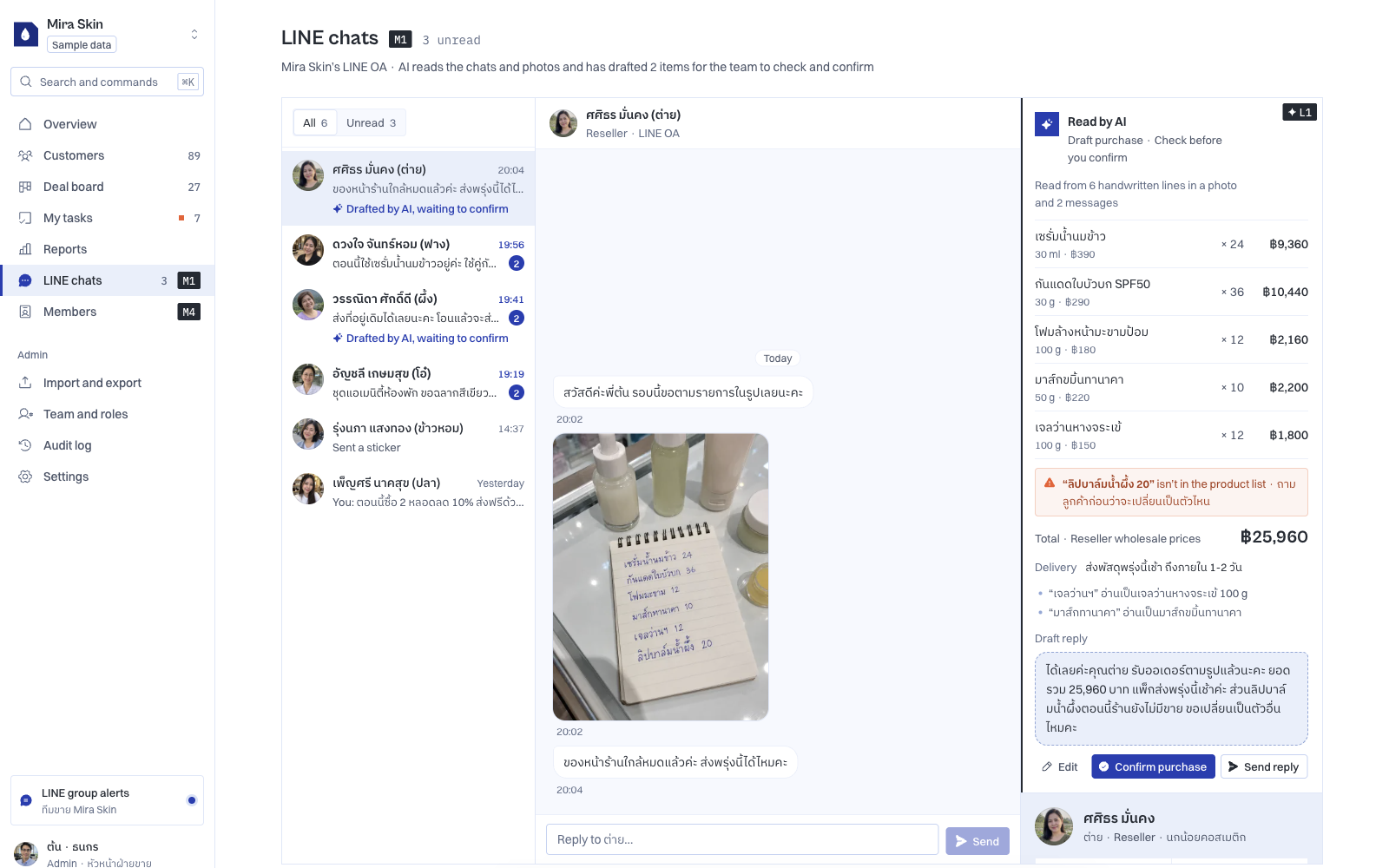
For a production AI feature, specify the input, proposed output, reviewer and permitted action after approval. That turns “AI assistance” into a workflow that can be assessed.
Avoid choosing fully automated execution while input data or exception handling remains unclear. Microsoft’s business process flow documentation provides a useful reference for structuring steps; the level of automation needs its own design decisions.
Accept the system through the way people will use it
Test realistic scenarios, including missing information and changed plans. For the service example, intake staff should capture the necessary details, schedulers should have the right context, and a changed appointment should have an explicit update and notification process.
For an AI draft, include both known products and unmatched items. Check whether a reviewer can correct the proposal before confirmation. These are suggested production acceptance tests, not tests the demo has already passed.
Scenario-based discussions make it easier to see who a feature serves. The NIST Generative AI Profile (2024) recommends defining oversight responsibilities and assessing performance under conditions similar to deployment. Name the draft reviewer and include business-specific scenarios in acceptance testing.
Scope a CRM around the work it needs to support
If you know where work gets lost but are unsure which CRM features to buy or build, bring that workflow to Talvyn Labs. We help define the core, adapt the interface and data, select relevant modules and scope additional custom work. Establish what the system will support, who will use it and how you will judge whether it is ready.
Discuss your custom CRMRelated reading
References
- Talvyn Custom CRM demo, reviewed on 30 October 2026; fictional sample data.
- Microsoft Learn: Business process flows overview.
- Payne & Frow (2005): A Strategic Framework for Customer Relationship Management, Journal of Marketing.
- NIST (2024): Artificial Intelligence Risk Management Framework: Generative Artificial Intelligence Profile, NIST AI 600-1.
External references support scoping principles; they do not establish Talvyn’s technology or outcomes. Production integrations, automation and AI performance need validation against the agreed scope.